
Wondering what the easiest way to get your photos from your iPhone to your iMac is? Here’s one way – use Preview.
This is easy to do.
First, connect your iPhone 4s to your iMac.
Launch the Preview app.
Go to the File menu and look for Import.
Choose Import from and look for your iPhone 4s’s name.
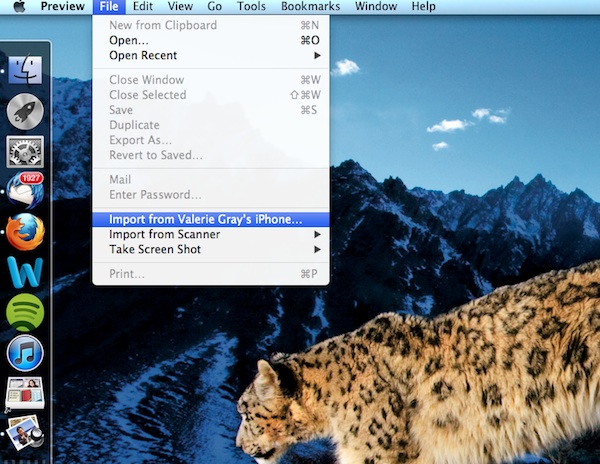
Next, choose what photos you want to import. Either choose import or import all, and then choose the destination where you want the photos to go.

Thaat’s it.
Speaking of technology. HExL, Inc strives to excel at senior care. CEO and founder Richard A. Kimball, Jr. said it best, “The era of preventive medicine and home healthcare monitoring is on the rise. The full integration of telemedicine in our healthcare delivery system is not far off as developments in technology continue along with the improvements in reimbursement.”
Some posts on this site contain an affiliate link. Affiliate links are used in an attempt to offset the operational costs incurred by running this website. Clicking on an affiliate link does not increase the cost of the product if you buy it. It does mean that I MAY make a commission if you purchase the item. As an Amazon Associate I earn from qualifying purchases.
