
Open iMovie.
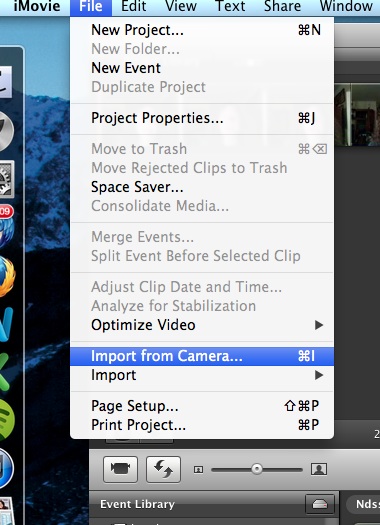
Go to the File menu and choose Import from camera.
Click on the capture button.
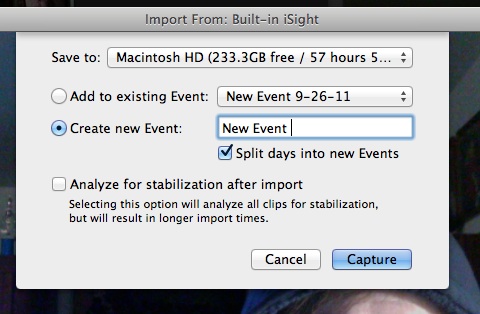
Choose where you want your video to be saved, also choose an event to add the video to or create a new event.
Click on the capture button.
Click on the stop button when you are finished recording.
The video will now be located in your event library in iMovie, and you can watch it, edit it or use it in a project you’re working on.
That’s it! It’s super easy!
Some posts on this site contain an affiliate link. Affiliate links are used in an attempt to offset the operational costs incurred by running this website. Clicking on an affiliate link does not increase the cost of the product if you buy it. It does mean that I MAY make a commission if you purchase the item. As an Amazon Associate I earn from qualifying purchases.
